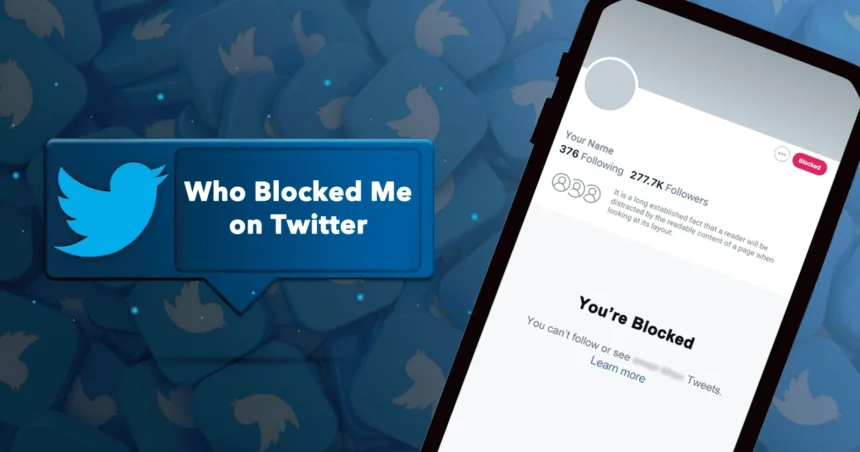
If you keep thinking “who blocked me on twitter”, you are not alone. It happens to everyone. A friend goes quiet, a creator disappears from your search, or your replies stop showing up. The tricky part is this: X (Twitter) does not give a public list of people who blocked you. What you can do is check the signs the right way, avoid risky “block checker” tools, and protect your account while you figure it out.
This guide shows the safest methods that work today, what blocking looks like on X, why accounts may vanish for other reasons, and what to do next.
What “Blocked” Means on Twitter (X)
Blocking on X is a privacy control. When someone blocks you:
-
You can’t follow them.
-
You can’t reply to their posts directly.
-
Their posts won’t appear for you like normal.
-
You may see a notice if you open their profile.
X also explains that blocking is meant to restrict contact, viewing posts, and following.
Important: Blocking is different from muting. Muting hides a person’s posts from you. Blocking cuts interaction both ways.
Who Blocked Me on Twitter: Can You See a Real List?
No. X does not provide a built-in feature that shows a full list of accounts that blocked you. What X does show clearly is the list of accounts you blocked (your block list).
So if you are searching for a “full list of who blocked me,” the platform does not offer that.
Who Blocked Me on Twitter: The Most Reliable Signs
1) Open Their Profile (Best Proof)
If you can still access their profile link and it shows a message that they blocked you, that’s direct confirmation. X states you will see an alert if you visit the profile of an account that blocked you.
How to do it
-
If you know their @username, type it in the address bar:
-
x.com/username
-
-
Or open an old reply, retweet, or DM (if you have one) and tap their name.
If you see a block notice, you have your answer.
2) Search for Their Account From Your Logged-In Profile
Many people notice a block because the account stops appearing in search for them. Some guides describe this as a quick signal, but it is not perfect because search results can change for other reasons too (name changes, privacy settings, or account status).
Quick check
-
Search their exact @handle, not just the display name.
-
If nothing shows, move to the next checks.
3) Try Following Them
If the follow button behaves strangely, or you can’t follow at all, it may be blocking. Still, this can also happen if:
-
The account is suspended
-
The account is deactivated
-
The account is protected and they removed you
So use this as a clue, not final proof.
4) Check Mentions (Soft Signal)
If you type @theirhandle and it never shows as a suggestion, that can be a sign. But suggestions can fail for other reasons too (low activity, new handle, search limits).
5) Compare With a Logged-Out View (Or Another Account You Own)
This is one of the cleanest ways to reduce confusion.
Method
-
Open a private/incognito window (logged out).
-
Visit
x.com/username. -
Then open the same profile while logged in.
What it means
-
If you can see the profile logged out, but you get a block notice logged in → likely blocked.
-
If you can’t see it logged out either → it may be deactivated, suspended, or deleted.
This comparison saves you from guessing.
Why It Looks Like You’re Blocked (Even When You’re Not)
A lot of “who blocked me on twitter” moments are not blocks. Here are the common look-alikes:
Account Deactivation
If they deactivated, you may see “this account doesn’t exist” or a blank profile.
Suspension or Restricted Visibility
X rules and enforcement can remove or limit accounts and content.
A suspended account can vanish from normal discovery, which feels like a block.
Username Change
If they changed their @handle, your old link may fail and search won’t find them under the old name.
Protected Account + You Removed
If they made their account private and removed you as a follower, their posts will disappear for you.
They Blocked You and Then Unblocked
Sometimes people block for a short time and undo it. Your past interactions may still look “off” after.
Who Blocked Me on Twitter: Safe Step-by-Step Checks (No Risk Tools)
Use this simple order so you don’t waste time:
Step 1: Try the direct profile link
Go to x.com/username.
Look for the block alert.
Step 2: Compare logged-in vs logged-out
Incognito view vs your normal view.
Step 3: Search exact handle
Try @username search.
Step 4: Look for past interactions
Old mentions, replies, retweets, or DMs often still exist on your side. Use them to open the profile.
Step 5: Confirm with a second account (optional)
If you have another account you control, check the same profile there.
Third-Party “Who Blocked Me on Twitter” Apps: What to Know Before You Use Them
Many websites claim they can show exactly who blocked you. Be careful. These tools often ask you to log in and grant access. If you approve an app, it can gain permissions that you may not fully understand.
X itself explains you can review and revoke third-party app access from Apps and sessions in your settings.
Safer rules if you still consider a tool
-
Avoid tools that require you to “Sign in with X” unless you fully trust the company.
-
Avoid tools asking for your password directly (huge red flag).
-
Read the permissions list before allowing anything.
-
If you already used one and feel unsure, revoke access right away.
How to revoke app access
-
Go to Settings
-
Open Apps and sessions
-
Remove anything you don’t recognize
How to See Your Own Block List on Twitter (X)
This is not “who blocked me,” but it helps you manage who you blocked.
X provides a built-in blocked accounts list and steps to reach it on web and mobile.
Path (common layout)
-
Settings and privacy
-
Privacy and safety
-
Blocked accounts
What To Do After You Confirm Someone Blocked You
It’s tempting to chase an answer. Usually, it’s better to keep it calm.
Option 1: Let it go
Most blocks are emotional in-the-moment or boundary-setting.
Option 2: Fix the cause (if it’s clear)
If you know a reply was rude or misunderstood, you can reflect and avoid repeating it.
Option 3: Use your own safety tools
Mute, block, and limit replies. Protect your timeline and mental space.
Option 4: Don’t try to bypass the block
Creating new accounts to contact someone who blocked you often escalates the situation and can break platform rules.
Conclusion
If you’re searching who blocked me on twitter, the honest answer is: X won’t hand you a full list. Still, you can confirm a block safely by opening the profile directly, comparing logged-in and logged-out views, and checking past interactions. If a tool promises a magic list, treat it like a risk—apps can request access, and you may regret it later. If you already connected something suspicious, revoke it in Apps and sessions and move on with peace.
FAQs
1) Can Twitter (X) show me a list of who blocked me?
No. X does not offer a feature that lists everyone who blocked you. It only shows the accounts you blocked in your blocked accounts list.
2) What is the fastest way to confirm a block?
Open the person’s profile while logged in. X says you will see a message alerting you if that account blocked you.
3) If I can’t find someone in search, does that mean they blocked me?
Not always. Search results can fail for many reasons like deactivation, suspension, or username changes. Use the profile-link and logged-out comparison to confirm.
4) Are “who blocked me on twitter” apps safe?
Some may be fine, but many require account access. Only connect tools you fully trust. If you connected one and feel unsure, revoke it in Apps and sessions.
5) How do I remove third-party access from my X account?
Go to your account settings and open Apps and sessions. You can review permissions and revoke access for connected apps